Book an Appointment
Call Littleton Computer Repair Service at 
720-441-6460
                   

(720) 441-6460

*


Littleton Computer Repair Service has provided the best mobile computer repair in Littleton, CO and the greater Denver Metro Area since 1999. The term "mobile computer repair" means we come to you to resolve all your computer problems.

We repair laptops, desktops, PCs and Apple computers. One of our highly qualified staff will come to you, often the same day, to take care of all your repair needs.

Why not use the #1 rated company for computer repair in Littleton, CO?

Computer Repair 4.9 / 5 stars from 292 reviews
Why use a computer tech when you can have a Littleton based Computer Engineer? Mon-Sun 8:00am - 8:00pm

Call us at (720) 441-6460

Text us at (720) 441-6460

Email us your questions

Book an Appointment

"I needed to transfer old outlook emails and my favorites to a new computer. Taylor was able to transfer and set it up perfectly. Stress levels now at normal once again, thanks for the great service."
Littleton Computer Repair Service 5 / 5 stars
"Matt did a great job, solved a number of my issues , would recommend him and the company."
Littleton Computer Repair Service 5 / 5 stars
"Polite, professional, well done. I received excellent solutions to my computer problems. He helped me understand what I needed to do in the future, and setup an online backup for my computer."
Littleton Computer Repair Service 5 / 5 stars
"Ben was amazing and insightful. We cannot thank you enough."
Littleton Computer Repair Service 5 / 5 stars
"I had the greatest experience with the technician. My computer is running better than it ever has. I had to get a new hard drive and he was able to ensure all my files came over and I did not lose anything. I am 1000% satisfied. He was awesome. He was very knowledgeable and personable. I would give him 100 stars."
Littleton Computer Repair Service 5 / 5 stars

Who is Littleton Computer Repair Service?

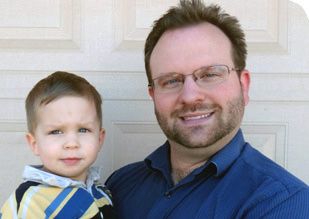
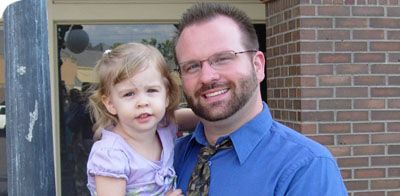
Littleton Computer Repair Service is owned by Matt Karls, an Electrical Engineer and a Computer Systems Engineer. We are a team of computer professionals focused on service and quality, all our work is guaranteed.

If you have any computer, technology or IT problem in Littleton, CO we can fix it. We have been performing computer repair in Littleton full time since 1999. Feel free to give us a call or text us at (720) 441-6460.

Littleton Computer Repair Service's Computer Engineer

What is your Service Area for on-site Computer Repair?

Our primary on-site mobile service areas include the greater Denver metropolitan area and the Phoenix, Tucson, Las Vegas, San Diego and Salt Lake City metro areas.

We provide remote and mobile computer repair in Littleton, Arvada, Aurora, Boulder, Brighton, Broomfield, Centennial, Cherry Hills Village, Columbine, Commerce City, Denver, Englewood, Glendale, Golden, Greenwood Village, Highlands Ranch, Ken Caryl, Lafayette, Lakewood, Louisville, Lone Tree, Northglenn, Parker, Sherrelwood, Superior, Thornton, Westminster and Wheat Ridge.

Our on-site Computer Service Area

What should someone expect that hires you for Computer Service?

Our mission is to fully resolve your computer problems quickly and affordably. If you want a Computer Engineer that can fix all of your computer problems instead of a computer tech, a computer geek, a technician or a computer guy that can only fix some of your problems; call us at (720) 441-6460.  

What types of Computer Services do you perform?

We service businesses and business clients in their homes, including:
 
  • Diagnose / repair hardware or software problems
  • Spyware, malware, trojan and virus removal
  • Setup wireless and small business networks
  • Laptop repair, PC repair and Apple repair
  • Hard drive data recovery

Littleton Computer Repair Service Contact Information

Littleton Computer Repair Service
Littleton, CO 80120
(720) 441-6460

Littleton Computer Repair Service is a Karls Technology company

* *
*
*
*
  *
* *


*
*
* * * * * * * * * * * * * * *
4.9 / 5 stars from 292 reviews

"Jason was the epitome of professionalism. He was so knowledgeable as well as thorough. I would use him anytime. I am extremely happy and thank you very much."

Littleton Computer Repair Service 5 / 5 stars

"Very polite and helpful. Very fast transferring my files from my old computer to my new one. Very happy I found them. They are my computer guys now."

Littleton Computer Repair Service 5 / 5 stars

"Ben came out to help us with our laptop after we had an issue with a virus and he was very helpful and informative on the matter. He was very respectful and kind in our home. Glad we put our trust in him, would recommend to friends and family!"

Littleton Computer Repair Service 5 / 5 stars

"Excellent, all is working, thank you."

Littleton Computer Repair Service 5 / 5 stars
Best Antivirus Software of 2026: The Ultimate Guide to Cybersecurity Brands

In 2026, the digital threat landscape has shifted. We are no longer just fighting simple viruses; we are defending against AI-generated phishing, sophisticated ransomware-as-a-service, and complex identity theft. Choosing the right antivirus brand is no longer optional—it is the foundation of your digital life. At Karls Technology, we’ve analyzed the top-performing security suites of the […] The post Best Antivirus Software of 2026: The Ultimate Guide to Cybersecurity Brands appeared first on Computer Repair Blog.

Testing Memory on Windows OS

Memory can be tested in a variety of various ways depending on the situation. RAM, which stands for random access memory, is the type of memory that your computer draws from in order to complete the work at hand while it processes current data. If you are having troubles with your computer, you should check […] The post Testing Memory on Windows OS appeared first on Computer Repair Blog.

Temporary Files on Windows OS

A temporary file is a file that is made to hold data while another file is being made or updated. The temporary file (also known as a temp file) is deleted after the program has been closed. Temporary files can be used for a wide variety of purposes, from storing and transferring data to handling […] The post Temporary Files on Windows OS appeared first on Computer Repair Blog.

iOS 16 Updates

During its June 6 WWDC keynote, Apple detailed its major operating system updates for the year. iOS 16 has been in beta testing for months, and it has now been released by Apple (along with watchOS 9 and tvOS 16). Many of iOS 16’s functions have received a few entertaining enhancements. For instance, the Lock […] The post iOS 16 Updates appeared first on Computer Repair Blog.

Start Menu Customization

A lot of stuff can be shown or hidden in the Start menu within the Windows operating system. This leaves users a bit of wiggle room for customization. By opening the Settings app, you can navigate to the Personalization section. Then when selecting Start, you may toggle the Start menu’s use of your most recently […] The post Start Menu Customization appeared first on Computer Repair Blog.

Remote Desktop Not Working? Here May Be Why (KB5019980)

Microsoft acknowledged many problems with Windows 11 recently, including that the Remote Desktop software may not be working properly. What is Remote Desktop? After installing a program called “Remote Desktop,” it’s easy to establish connections with other computers. It’s a convenient way to transfer data or offer technical support from one computer to another. In […] The post Remote Desktop Not Working? Here May Be Why (KB5019980) appeared first on Computer Repair Blog.

Windows OS is Unresponsive – Fast Startup

Turning off this feature could be the quickest and easiest approach to solve this problem. The useful function known as “Fast Startup” maintains your Windows OS in the hibernation mode so that it does not need to be completely relaunched after it has been shut down. This results in a significantly quicker reboot. Even though […] The post Windows OS is Unresponsive – Fast Startup appeared first on Computer Repair Blog.

3 New Security Features Announced by Apple

Today, Apple anApple has been working hard to give users with more advanced methods of data protection, and the company recently announced the release of three new security features. iMessage Contact Key Verification Security Keys for Apple ID Advanced Data Protection for iCloud Learn more about these tools on the Apple website. For help with […] The post 3 New Security Features Announced by Apple appeared first on Computer Repair Blog.

Smart App Control on Windows

Microsoft’s newest Windows 11 update (22H2) came with a plethora of new features. One in particular is the Smart App Control, or SAC. What is SAC? According to Microsoft, the capacity of Smart App Control to terminate potentially dangerous or otherwise unreliable applications enables an effective defense against new and unanticipated threats. With the SAC, […] The post Smart App Control on Windows appeared first on Computer Repair Blog.

Protect Your Personal Information – Change Password

If your password has been compromised as a result of a security breach, you should change it promptly. Do not use the same password on multiple websites. Hackers and crooks are well-versed in all trade secrets. You can reduce the amount of damage done by using a different, strong password for each protected site you […] The post Protect Your Personal Information – Change Password appeared first on Computer Repair Blog.